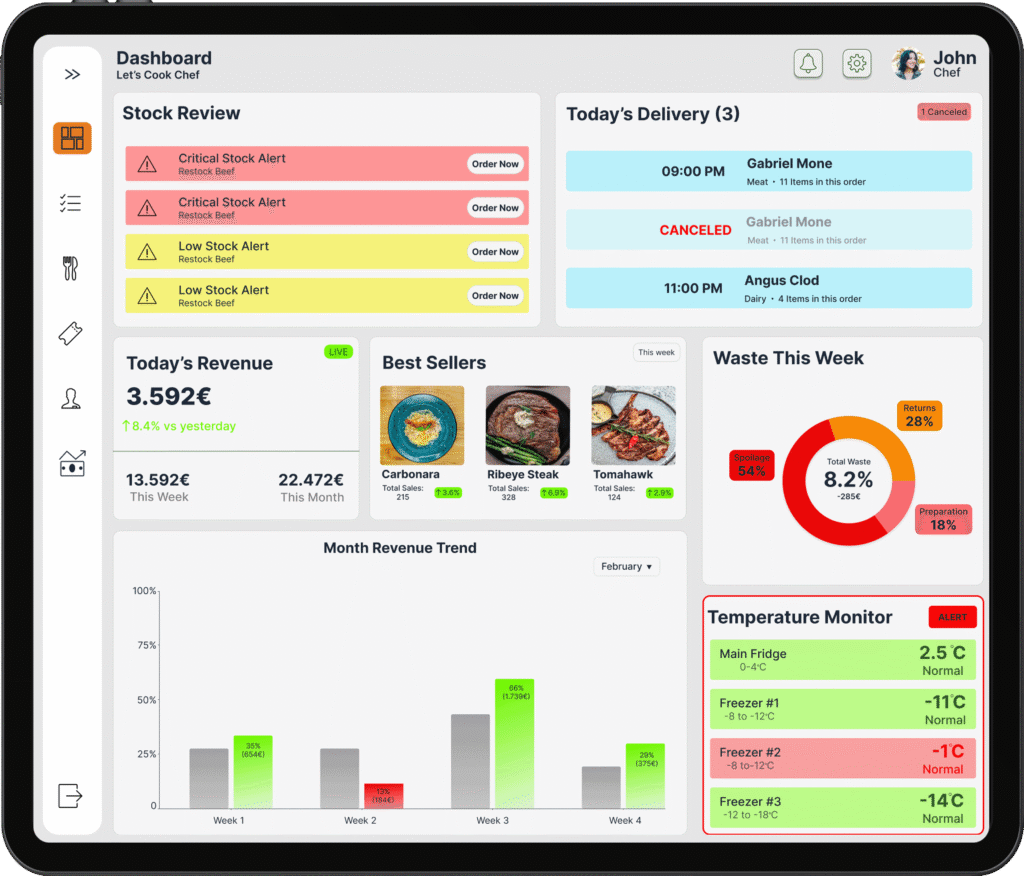
Restaurant kitchens run on speed and clarity. This app was designed with one goal: give the chef full control at a glance. From live order tracking to stock management, shift planning and waste management, every screen was built around real kitchen workflows — minimal taps, maximum information.
Problem Statement
Currently, restaurant owners managing their daily operations face critical challenges across four key areas that result in substantial financial losses and operational inefficiencies:
Invisible Food Waste
Restaurant owners throw away €300-€500 worth of food weekly without understanding which dishes waste most or why. They must navigate pen-and-paper tracking systems that fail during busy periods, resulting in incomplete data and zero pattern recognition. 60% of restaurant management platforms have no waste tracking capabilities whatsoever, forcing owners to accept 12-15% waste rates as “normal” when industry best practices demonstrate 7% is achievable with proper visibility and analytics.
Reactive Inventory Management
Current systems from other apps only alert when stock reaches zero—the exact moment it’s too late to prevent customer-facing stockouts. Restaurant owners discover they’re out of signature dishes when servers attempt to place orders during peak dinner service, resulting in lost revenue, disappointed customers, and damaged reputation. The disconnect between inventory and waste data means they’re simultaneously over-ordering items with high waste while running out of popular items.
Paper Schedule Chaos
Staff schedules are posted on physical boards in back-of-house areas where they go unchecked by most team members. Employees cannot view their upcoming shifts while off-site, leading to confusion about start times and last-minute “I thought I was off today” situations. Managers cannot see real-time attendance status or quickly identify available backup when someone calls in sick 10 minutes before shift start, forcing expensive last-minute coverage solutions and increased overtime costs monthly.
Kitchen Communication Breakdown
Existing kitchen display systems show all orders in uniform blue cards where a 3-minute-old order appears visually identical to a 20-minute delayed order, forcing kitchen staff to read timestamps and mentally calculate elapsed time on every order during peak rushes. Critical allergy warnings appear as small yellow text easily overlooked during high-pressure service, creating legal liability where a missed “severe nut allergy” notation can result in customer hospitalization and lawsuits reaching thousands of dollars.
This project addresses the need for a singular, integrated operations platform that consolidates waste tracking with visual analytics, proactive inventory alerts with smart ordering recommendations, mobile-accessible scheduling with real-time attendance visibility, and color-coded kitchen displays with impossible-to-miss allergy warnings—preventing disasters, reducing waste, and saving restaurants a lot of money annually.
What We Offer
Waste Management
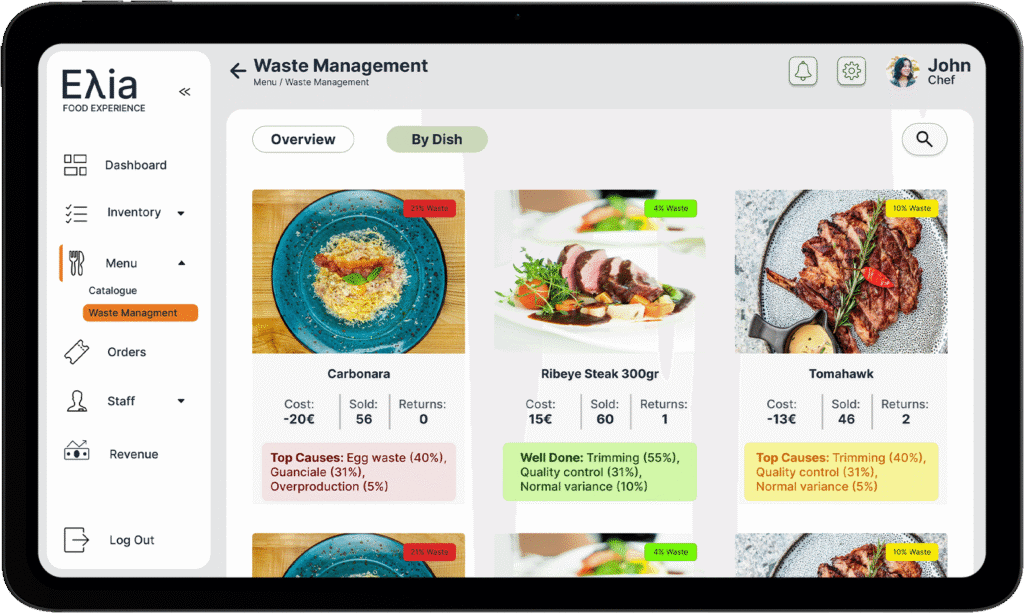
Track and log kitchen waste daily — expired ingredients, over-prepped portions, and discarded dishes. The app identifies patterns over time, helping the chef reduce unnecessary waste, cut costs, and run a more sustainable kitchen.
Kitchen Display System
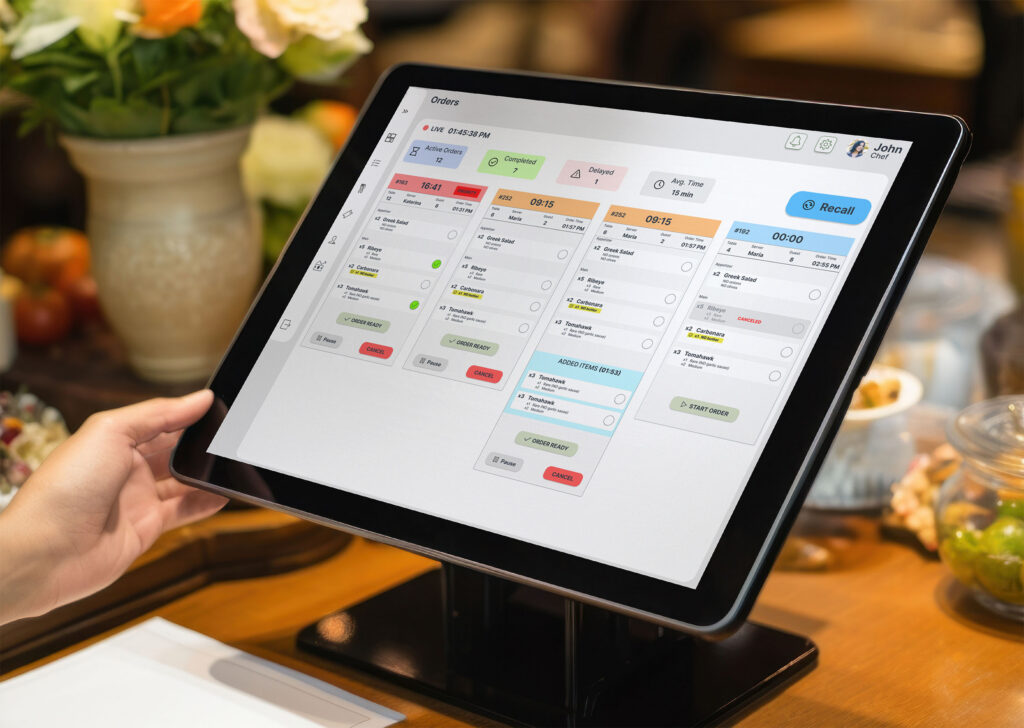
A tablet-optimised view for the kitchen wall — all active tickets visible to the whole team, updated live with priority.
Inventory Tracking
Stock
Stock levels monitored in real time with automated low-supply alerts before ingredients run out during service.
Team & Shift View
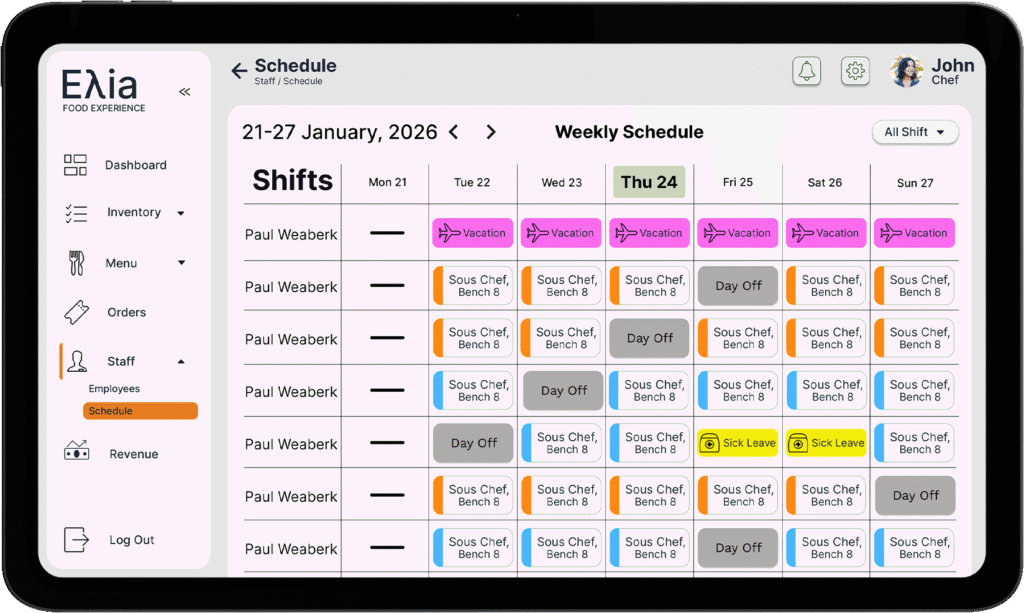
See who is on shift, what their role is, and who is available — all at a glance, without phone calls or paper rosters.
Inventory / Products
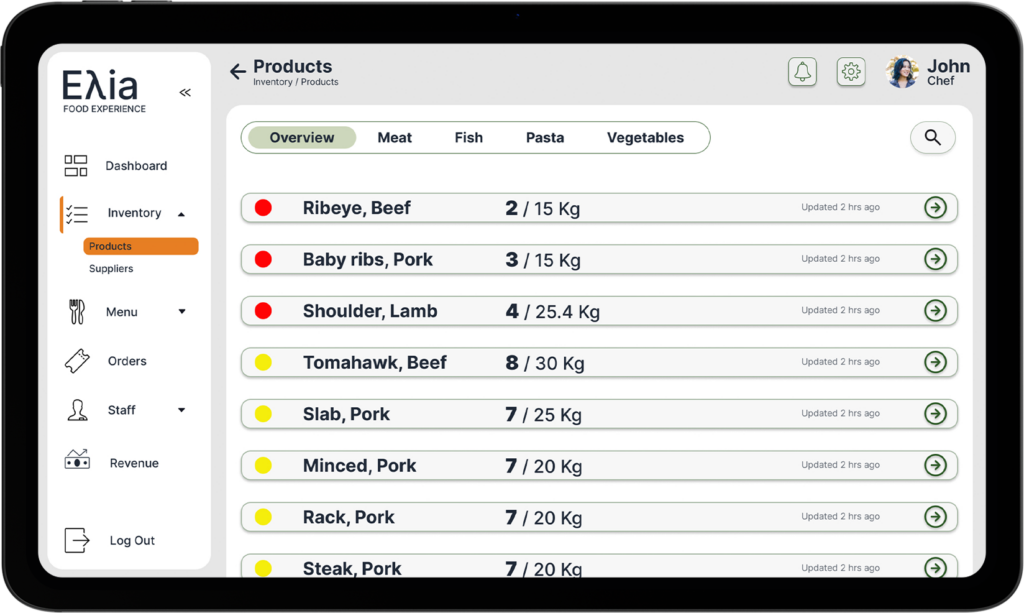
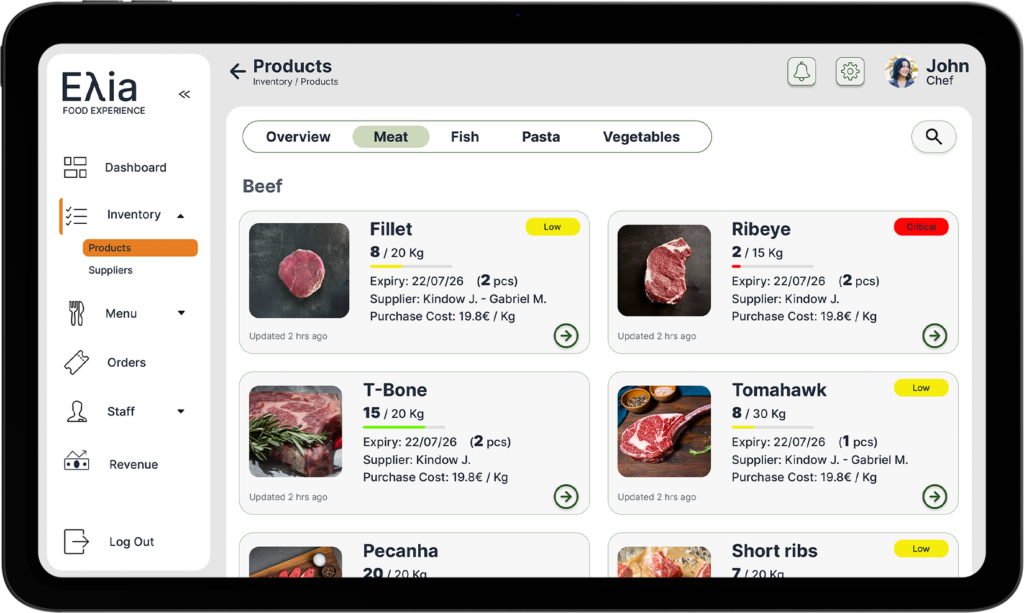
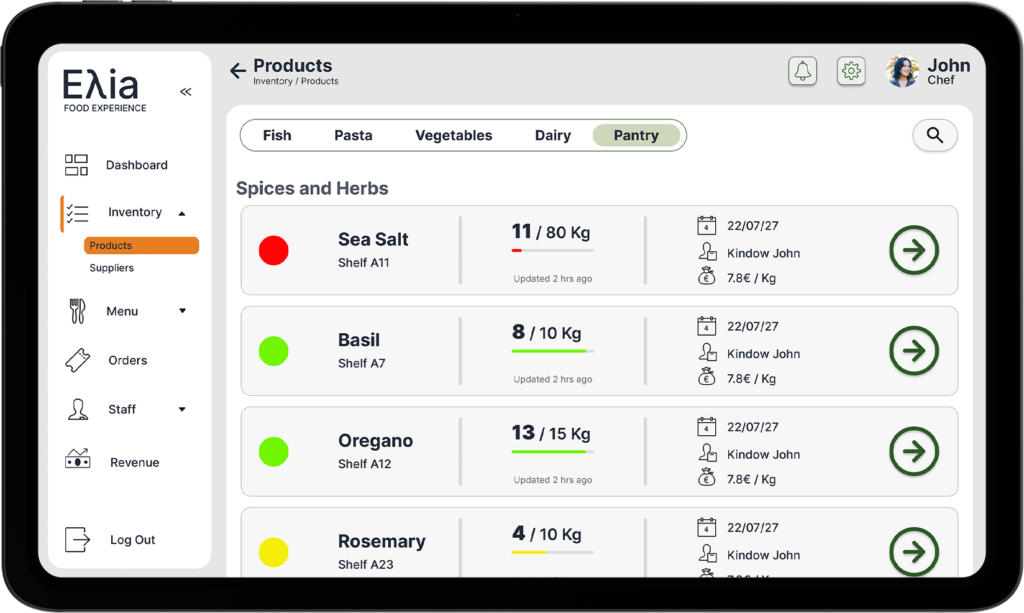
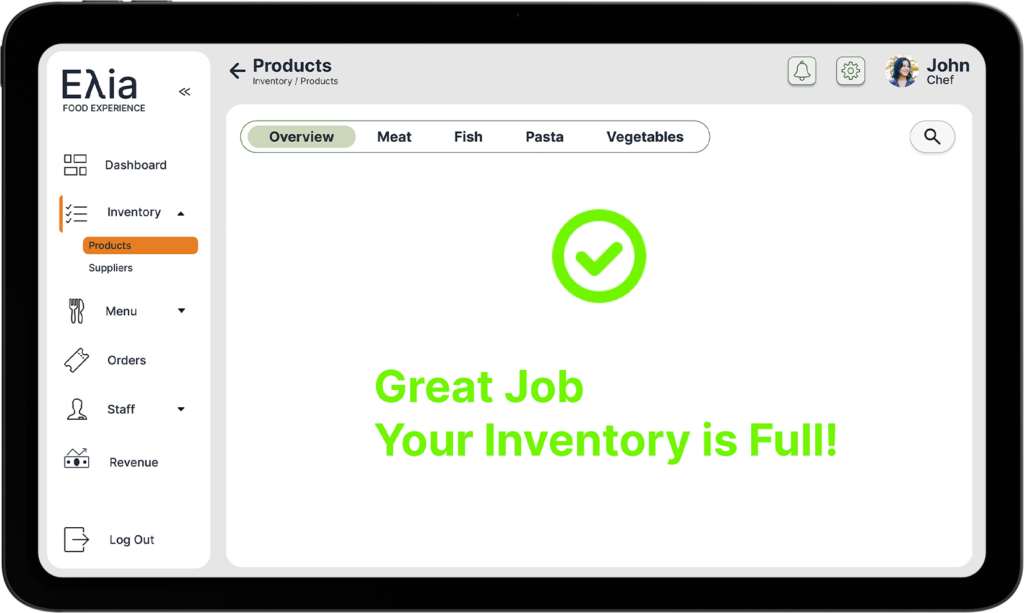
The Inventory module gives the chef complete visibility over every product in the kitchen — organised by category, updated in real time, and colour-coded by stock status. Each product shows its current quantity, expiry date, shelf location, supplier, and cost per kg, so the team always knows exactly what is available, what is running low, and what needs to be ordered before service starts.
Inventory / Suppliers
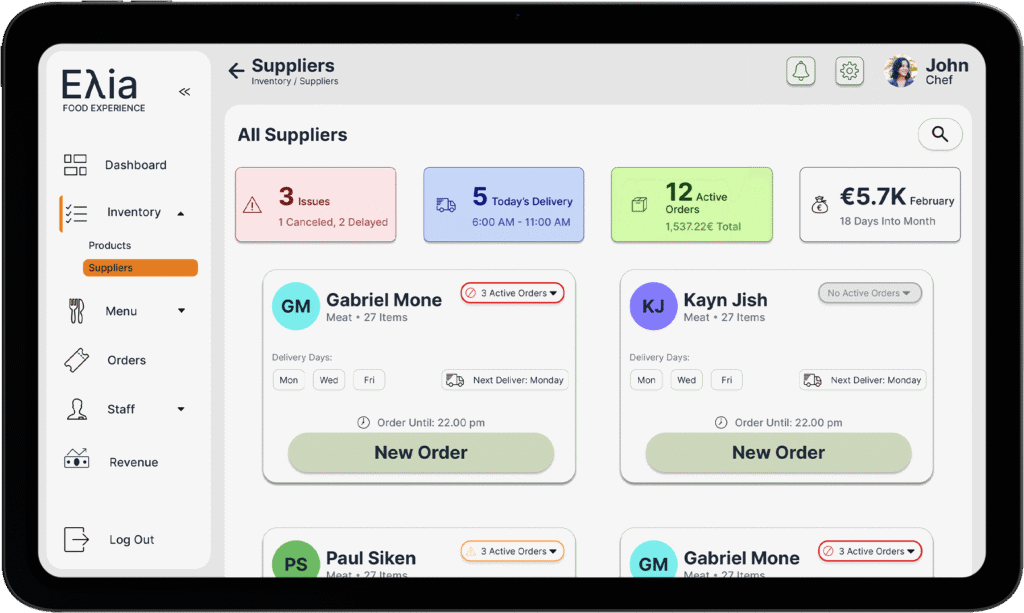
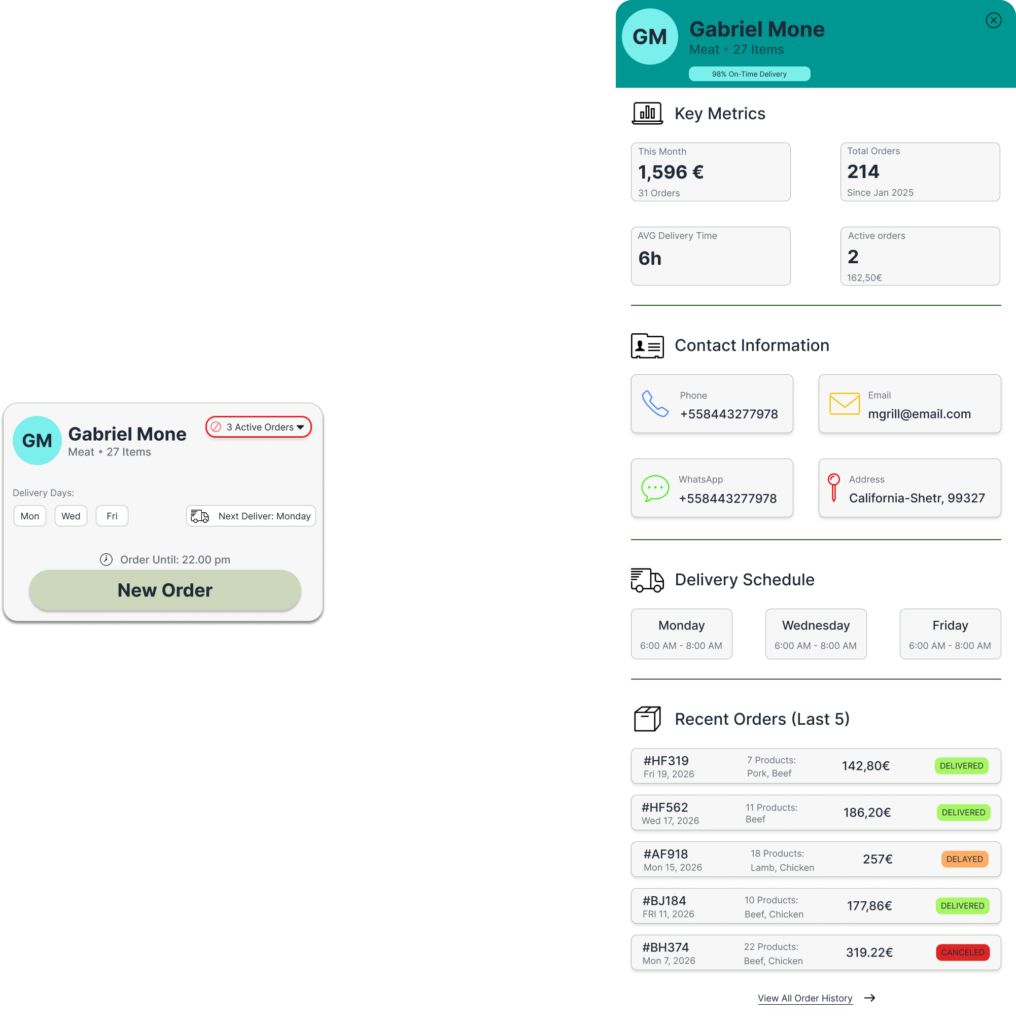
The Suppliers module gives the chef a live overview of every supplier relationship — active orders, today’s deliveries, issues, and monthly spend — all visible before the day even starts. Each supplier card shows delivery days, order deadlines, and current order status, so the chef knows exactly who to contact and when. The colour-coded status badges make it instant to spot which suppliers have active orders, which have issues, and which are ready for a new order.
Menu / Catalogue
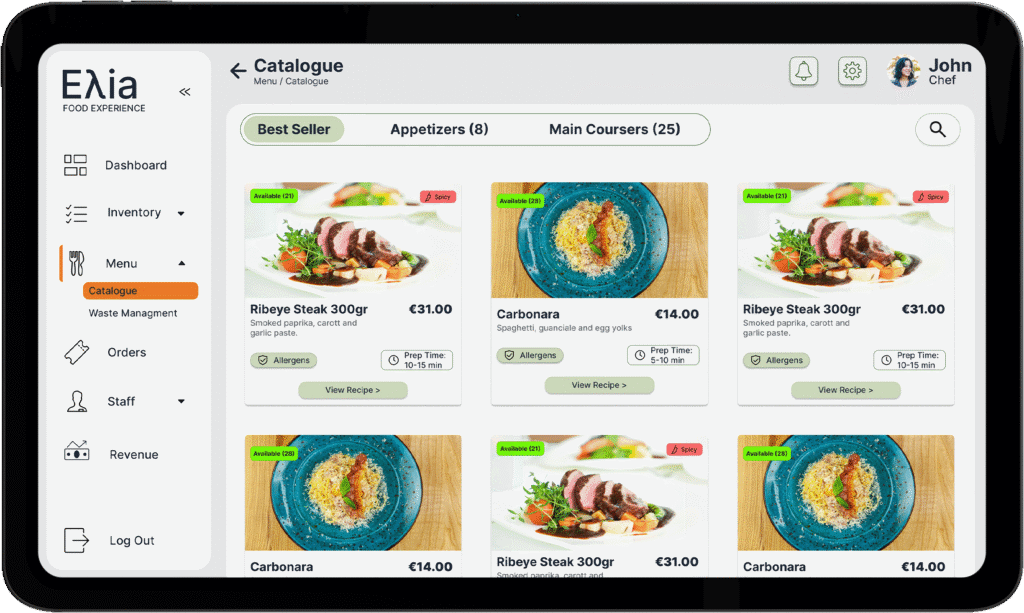
The Menu Catalogue gives the chef a visual library of every dish — organised by Best Sellers, Appetizers, and Main Courses — with real-time availability, prep time, allergen info, and price displayed on each card. Tapping any dish opens the full recipe detail: ingredients per portion, step-by-step method, plating instructions, and a complete cost analysis showing ingredient cost, labour cost, food cost percentage, and profit per dish. Everything the chef needs to run a consistent, profitable kitchen — in one place.
Menu / Waste Management
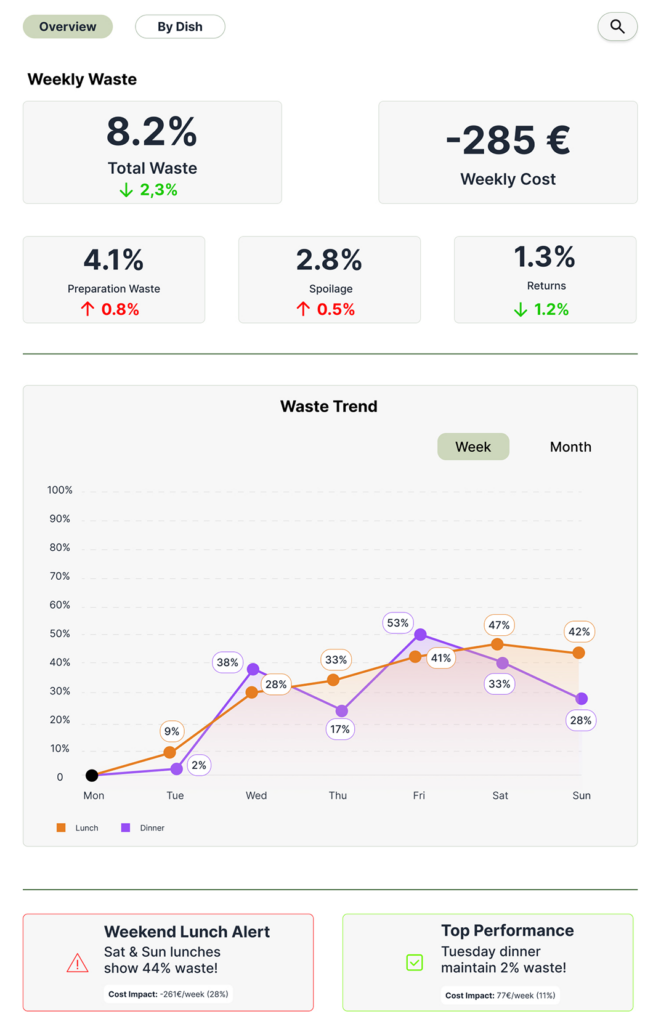
Waste Management gives the chef a live financial picture of what the kitchen is losing and why. The Overview tab tracks weekly waste by category and cost impact, while the By Dish tab breaks it down per menu item — using food photography to make the data feel immediate and actionable, not abstract. Alerts and performance highlights surface automatically so the chef knows exactly where to focus.
Orders
The Kitchen Display System mounted on a tablet at the kitchen pass, it shows every active order in real time — with live timers, order status, added items, and a Recall function for completed tickets. The colour-coded cards make it instant for any kitchen staff member to see what is in progress, what is delayed, and what is ready — without a word being said across the kitchen.
Staff / Employees-Schedule
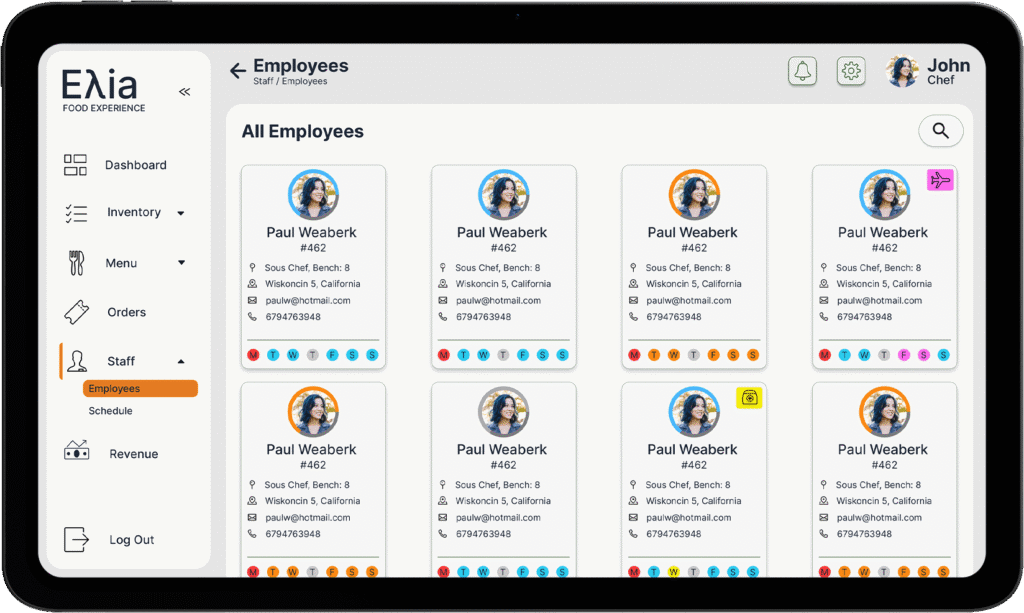
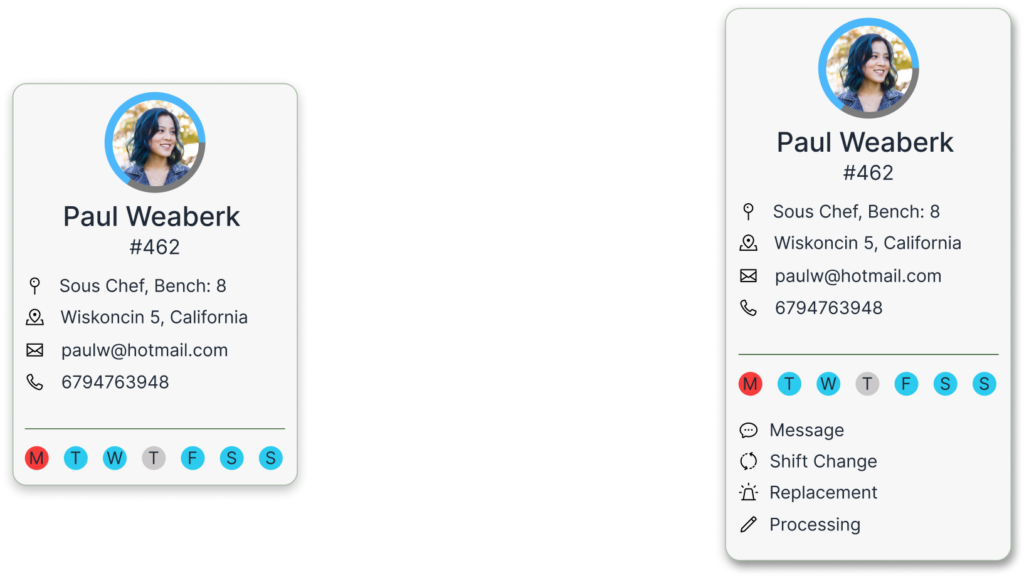
The Staff module gives the chef full visibility over the entire team — who they are, where they work, and when they are available. The Employees screen shows every staff member with their role, station, contact details, and weekly availability at a glance. The Schedule view lays out the full week in a colour-coded calendar — shifts, days off, vacations, and sick leave — so the chef can plan coverage, spot gaps, and manage the team without a single phone call or spreadsheet.
Revenue
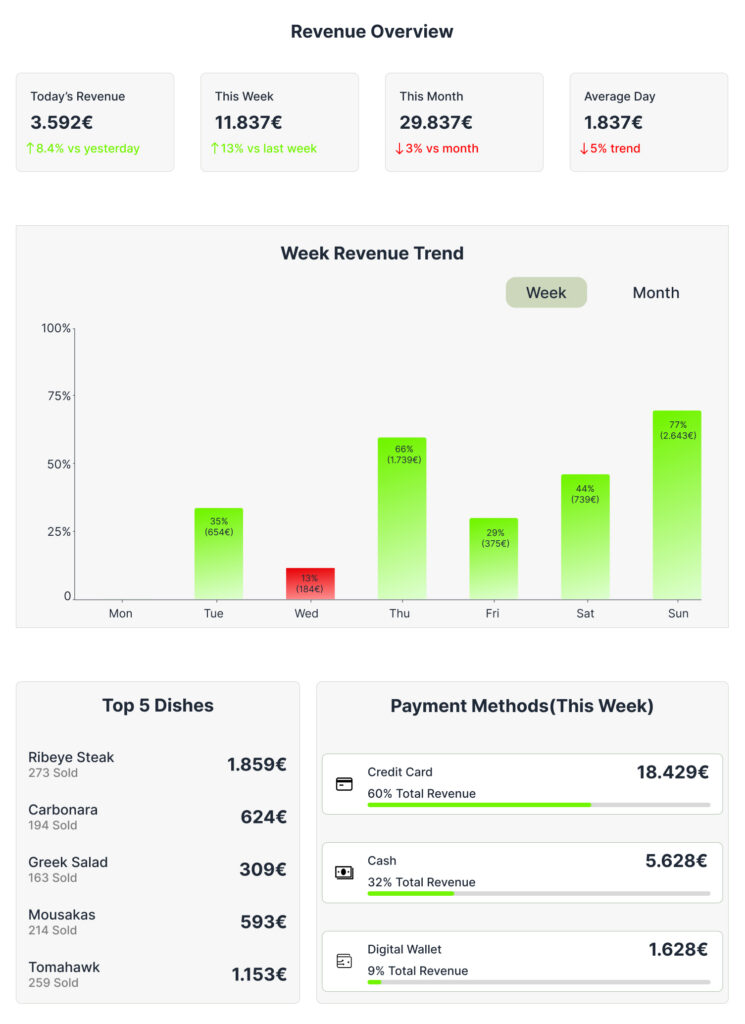
The Revenue module gives the chef and manager a complete financial picture of the restaurant — updated in real time. Today’s revenue, weekly totals, monthly performance, and daily averages are all visible at the top, each with a trend indicator showing whether the business is growing or declining. The weekly chart highlights strong and weak days instantly, while the Top 5 Dishes ranking connects menu performance directly to revenue. Payment method breakdown adds a final layer of operational insight — showing exactly how customers are paying, week by week.
Staff & Supplier Card
Each employee card expands to reveal quick actions — Message, Shift Change, Replacement, and Processing — giving the chef immediate control over team management without navigating away from the overview.
Tapping a supplier opens a full detail panel with key metrics, complete contact information, delivery schedule, and a history of the last five orders — including their status. Everything needed to manage a supplier relationship is one tap away.